Some stories deserve a shelf. The one about the night your daughter rescued the moon. The one where Grandpa’s fishing hat grants wishes. The first story your son ever “read” by himself, from memory, upside down.
Every KidsGotWings story can be printed as a picture book or saved as a PDF. This guide walks through how, with tips for making the printed version look good and a few ideas for what to do with it.
Why print a story at all?
- No screen at bedtime. A paper copy on the nightstand can be read by anyone, anywhere, with the lights low.
- Children re-read what they can hold. A book with their name in it gets carried around, shown to visitors and read to the dog.
- It’s a keepsake. A story about your child at five, with the things they loved at five, is a small time capsule.
- It’s a gift. For a grandparent, a new sibling, a teacher at the end of the year.
Before you print: get the story right
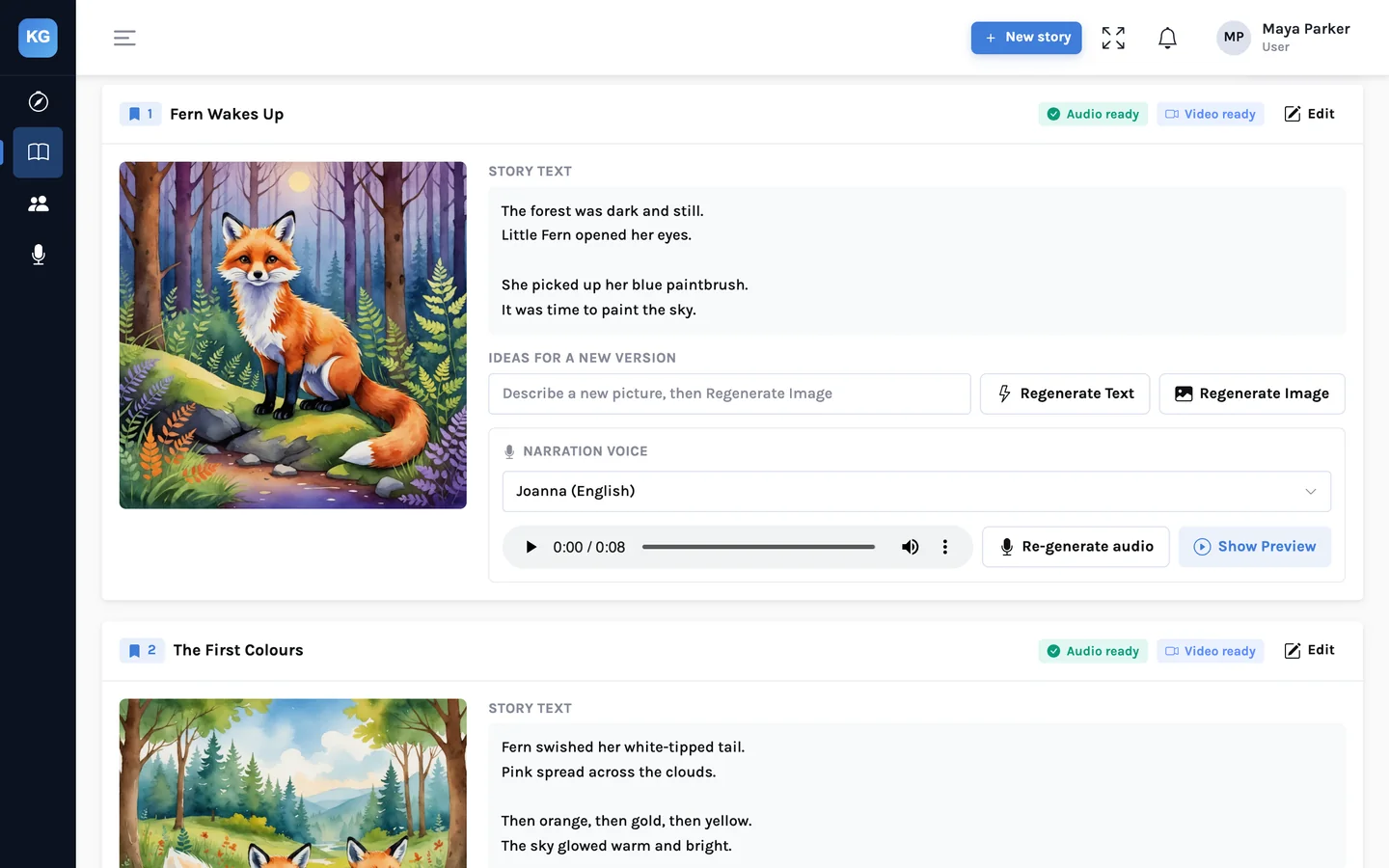
Paper is less forgiving than a screen, so do a quick edit first. Open the story’s sections and check three things:
- The words. Read every section aloud once. Fix names, add the family joke, trim a sentence that runs long. Any section’s text can be edited directly.
- The pictures. If one illustration doesn’t match the others, or a character looks off, redraw that picture with a short note about what you’d like to see.
- The title. It will be the name of the book. “Mira and the Moon Fox” reads better on a cover than “bedtime story 3”.
How to print or save as PDF
- Open the story from My Stories.
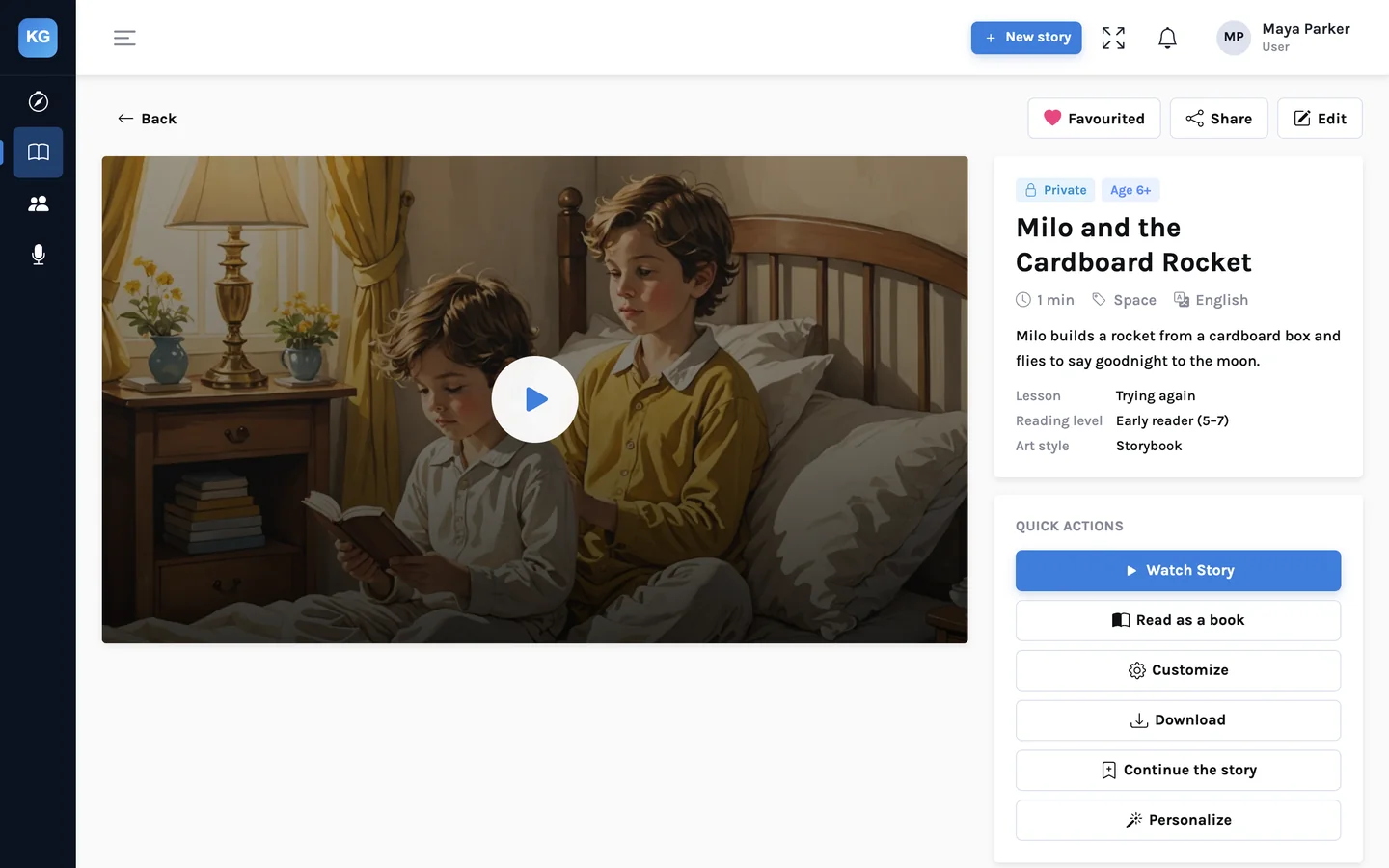
- Choose the print option. The story is laid out as a picture book and your browser’s print dialog opens.
- To print: pick your printer and press print.
- To save a PDF instead: in the print dialog, choose “Save as PDF” as the destination (on a phone or tablet, look for the share or save option in the print preview). You’ll get a file you can keep, email or take to a print shop.
Print settings worth checking
The print dialog belongs to your browser, so the exact names vary, but these are the settings that make the difference:
- Background graphics: on. Many browsers leave out background colors and images unless this box is ticked. If your pages look bare in the preview, this is why.
- Margins: default or none. Try both in the preview and see which frames the pictures better.
- Headers and footers: off. Otherwise the date and web address are printed on every page.
- Color: on, and print quality set to “best” or “high” if your printer offers it.
- Scale: fit to page. If a page is being cut off, this usually fixes it.
- Check the preview before you print. It shows exactly what will come out.
Paper and binding
Paper
- Everyday copy: ordinary printer paper is fine for a book that will be loved to pieces.
- Nicer copy: a slightly heavier paper stops pictures showing through and feels more like a book. Check what weight your printer can take before you buy.
- Cover: print the first page on card, or slip the whole book into a clear-front folder.
Binding at home
- Staples down the left edge, covered with a strip of colored tape. Quick and surprisingly smart.
- A hole punch and ribbon or two binder rings. Easy for small hands to turn.
- A slim presentation folder with clear sleeves. Wipeable, which matters.
Printing elsewhere
If you’d like something sturdier, save the story as a PDF and take or send the file to a local print shop. Ask about spiral binding or a stapled booklet; show them the PDF first so they can advise on paper and layout. We don’t run a printing service ourselves — the PDF is yours to print wherever you like.
Seven things to do with a printed story
- A birthday book. Create a story about the birthday child’s year — the things they learned, the places they went — and print it as a present. Do it every year and you have a set.
- A book for Grandma. A story starring the grandchildren, printed and posted. If a grandparent has recorded their voice, they can also be the narrator of the on-screen version.
- A welcome book for a new sibling. Written “by” the big brother or sister, about everything the baby needs to know.
- A going-away book. For a friend who is moving, starring the two of them.
- A first-day book. A story about starting school, read several times in the week before. There are prompts for this in Stories that teach.
- A travel book. Stories for the car or the plane that don’t need a charger.
- A coloring copy. Create the story in the pencil sketch style, print it in black and white, and hand over the crayons.
The film is a keepsake too
Printing isn’t the only way to keep a story. Once a story’s sections are narrated, it can be made into a captioned film — pictures, narration, sound effects and the words on screen — and the film can be downloaded as a video file. A family voice makes the film version particularly worth keeping: it’s a recording of a story in a voice your child knows.
A printed book and a downloaded film of the same story make a nice pair: one for the shelf, one for the family archive.
If something looks wrong
- Pictures missing from the printout? Turn on background graphics in the print dialog, and make sure the page has finished loading before you print.
- Web address printed at the bottom? Turn off headers and footers.
- Text cut off at the edge? Set scale to “fit to page”, or switch margins to default.
- Colors look dull? Try a higher print quality, or better paper. Home printers vary a lot; a print shop will usually give richer color.
- A page you don’t like? Go back to the sections, edit or redraw, and print again. Regenerating pictures counts toward your daily free limit, so fix the ones that matter most first.
One last thought
A printed story has your child’s name in it, and perhaps their street, their school or their friends. That’s what makes it precious — and it’s also a reason to be thoughtful about where copies go. Give them to the people who love your child. For anything more public, a story with made-up characters is the better choice.
Now go and find the stapler.
Make tonight’s story
Describe it in a sentence, or pick your family as the characters. It’s free to start, and private unless you choose to share.
Create your first story