
How it works
One sentence in. One bedtime story out.
Here is exactly what happens between typing an idea and turning the last page, and where you can step in and change things.
-
Step 1 of 4
Describe tonight’s story
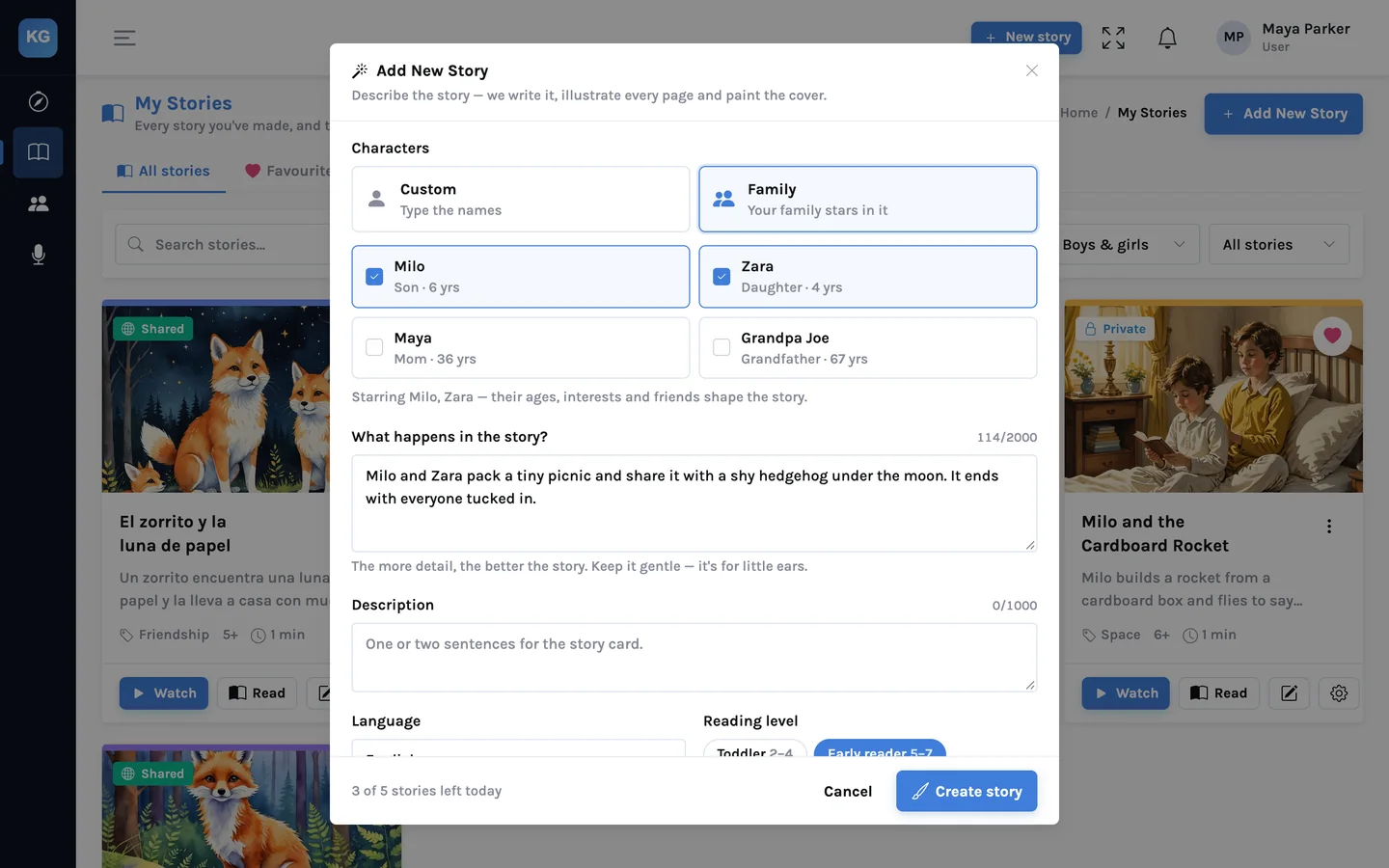
Type a sentence or two, or tap an idea starter. Choose who’s in it: made-up characters, or your own family.
- Say what happens. One small problem and a cozy ending is all a bedtime story needs.
- Pick up to eight family members as the cast, or type in characters of your own.
- Set the options: one of 14 languages, an optional lesson, an art style and a reading level.
-
Step 2 of 4
It’s written and illustrated
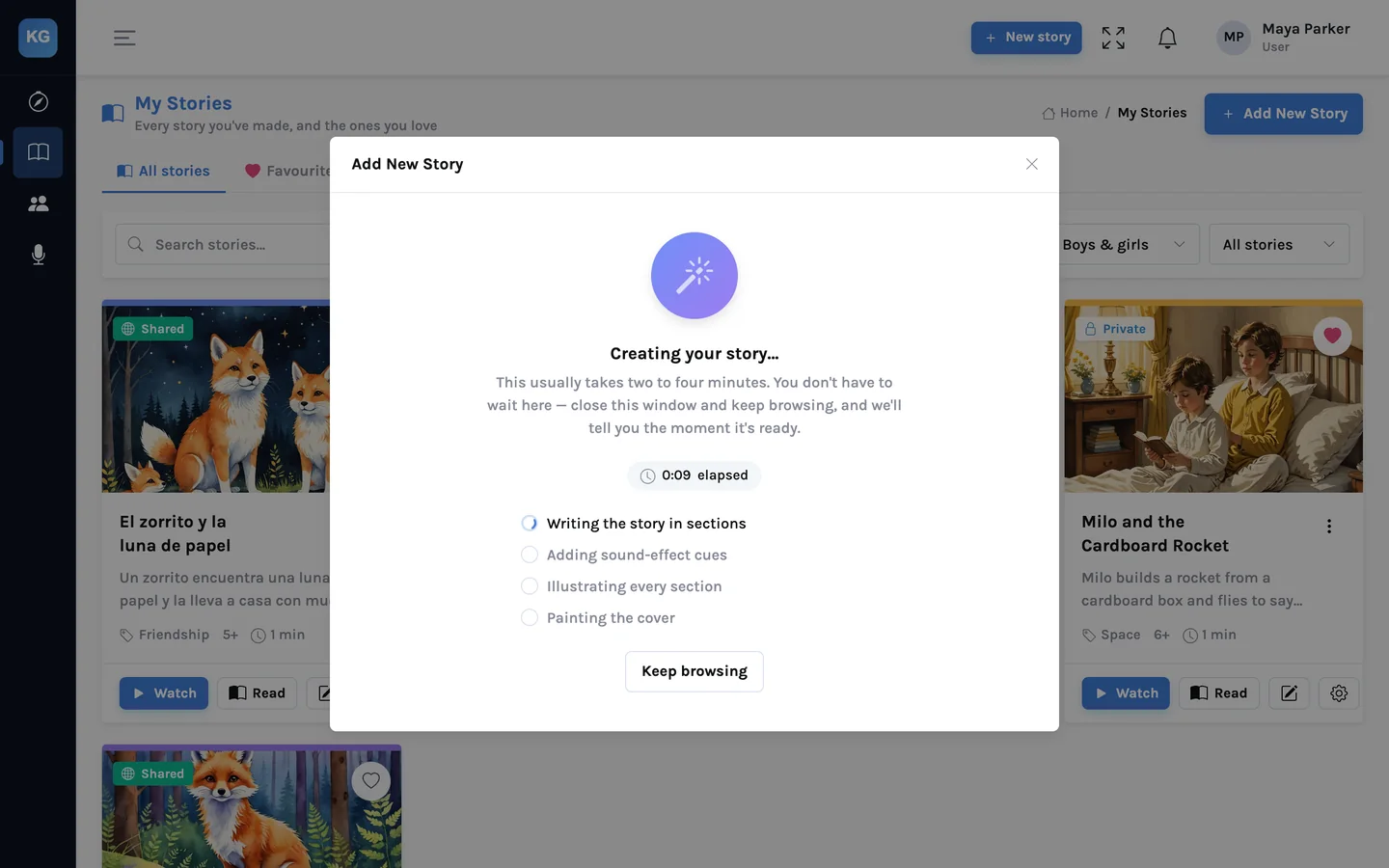
The story is written in sections, each with its own picture, in the language, art style and reading level you chose.
- Every idea is checked for suitability for children before anything is written.
- Writing and illustrating takes a few minutes. Close the window if you like; you’ll be told when it’s ready.
- The story arrives as sections: a title, the words, and a picture for each.
-
Step 3 of 4
Make it yours
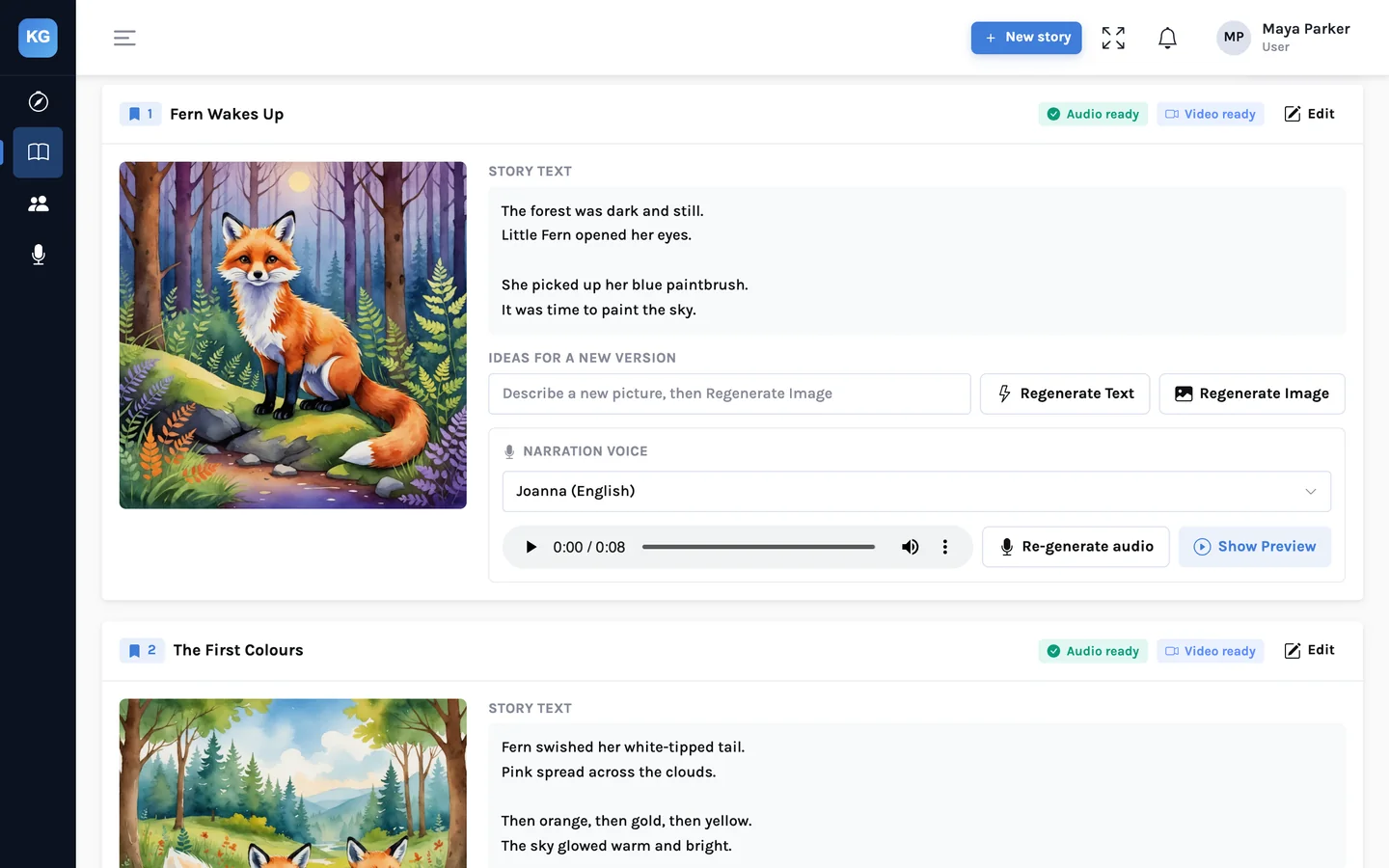
Change any section’s words, redraw a picture you don’t love, and pick a narrator: a stock storyteller or a grown-up’s own voice.
- Edit a section’s text directly, or ask for a rewrite with a short note.
- Redraw any picture with a hint about what you’d like to see.
- Preview the stock storytellers, or use a family voice recorded with consent. Sound effects come along with the narration.
-
Step 4 of 4
Read it, watch it, keep it
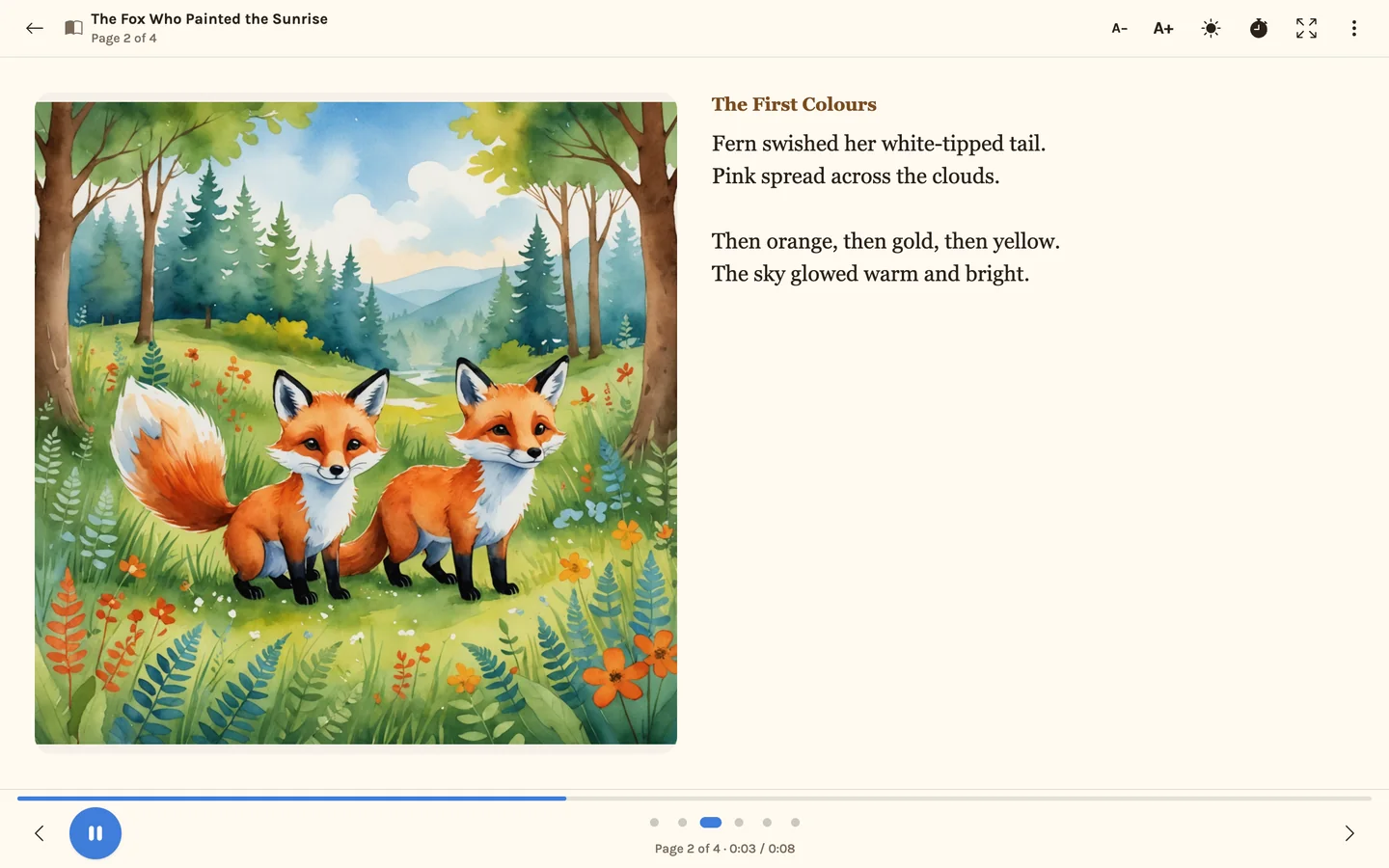
Turn the pages in the read-along reader, watch it as a captioned film, or print it as a picture book. Keep it private, or share it.
- The reader shows one page at a time, with bedtime mode and a sleep timer for the last story of the night.
- Make the captioned film and download it; print the story or save it as a PDF.
- Stories stay private unless you choose to share one in Discover or send its link.
And then
What you can do with a finished story
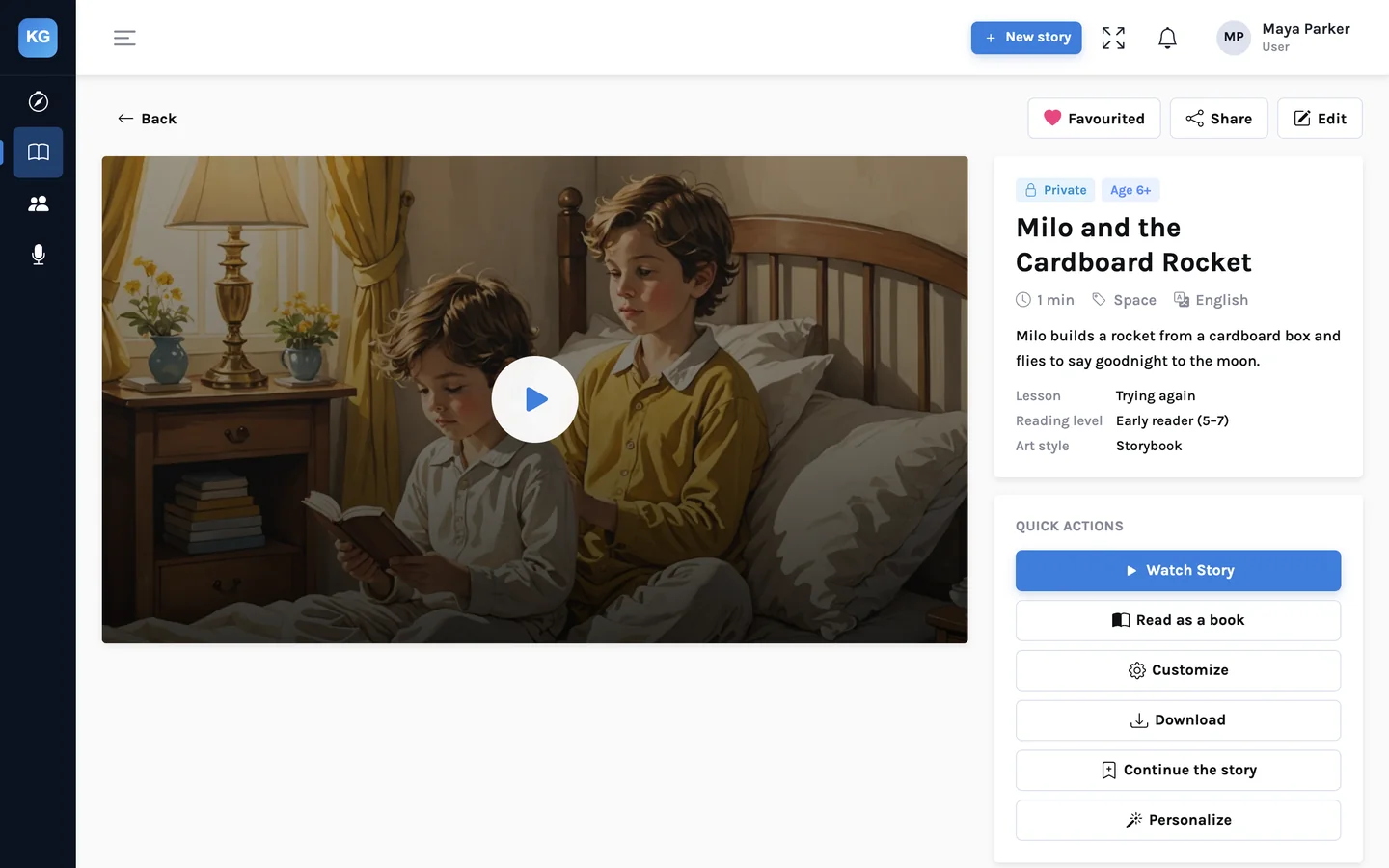
The story’s own page
Everything about one story in one place: read it, watch the film, download it, print it, favorite it, or continue it with a sequel.
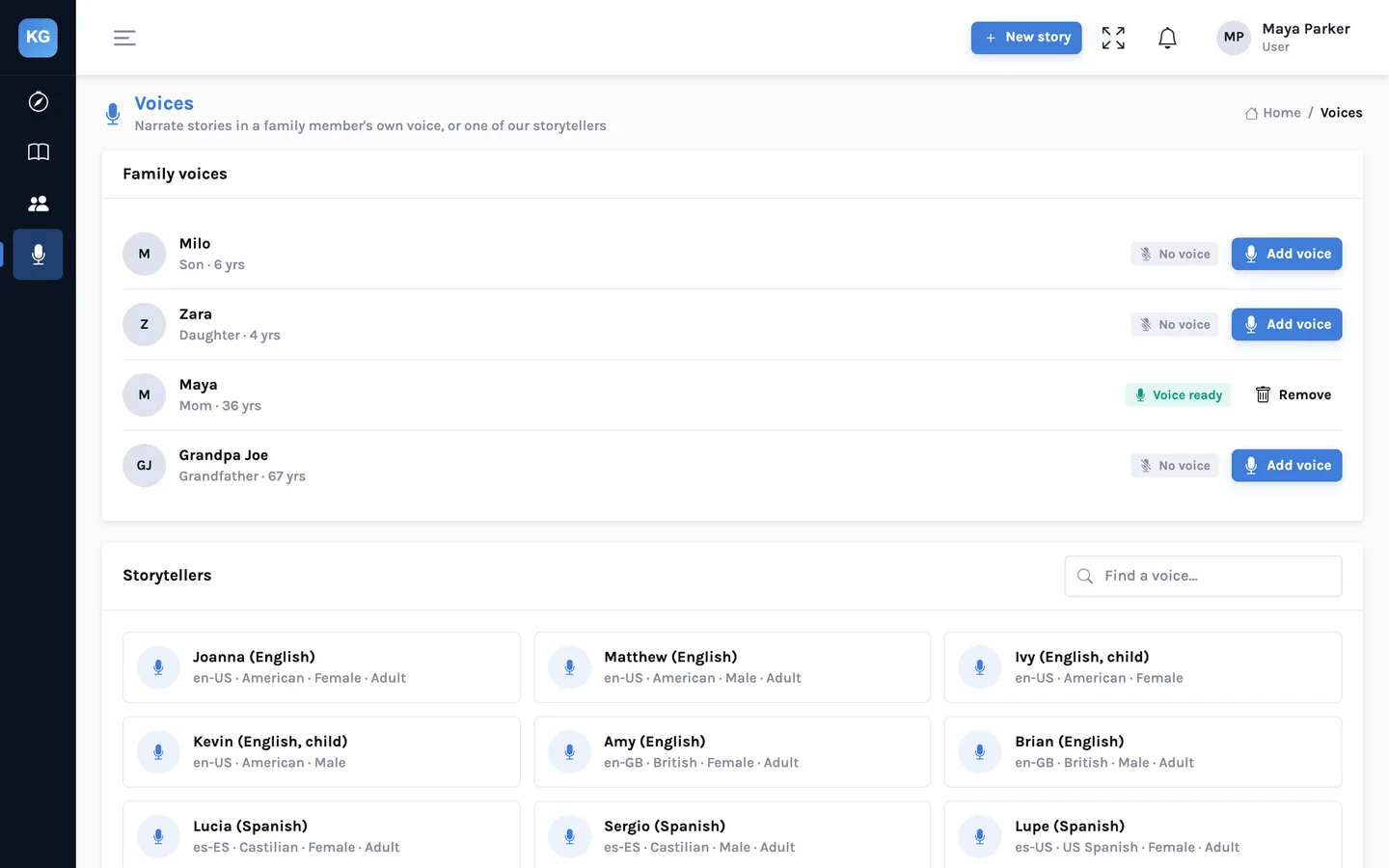
Choosing a voice
Preview the stock storytellers on the Voices page. If a grown-up in your family has opted in and recorded a sample, their voice appears here too.
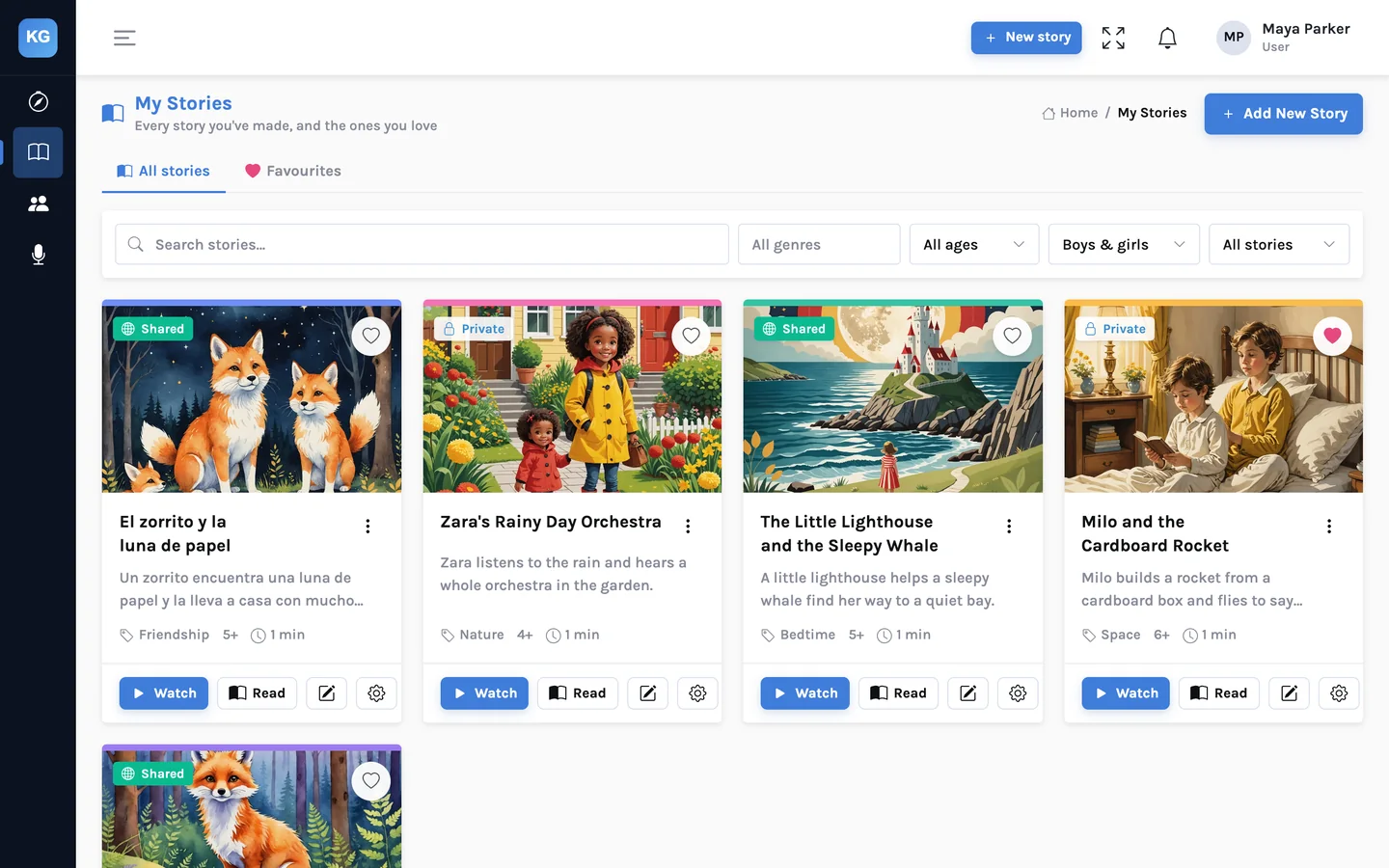
Your shelf
Every story you’ve made sits in My Stories, marked Private or Shared. Switch on Share in Discover for one and it joins the public library, with a link you can send.
- It takes a few minutes.
- Writing and illustrating a story isn’t instant, and narration and the film take longer. You can close the window and you’ll be told when it’s ready.
- A grown-up should read it first.
- Stories and pictures are generated by AI. Ideas are checked for suitability before a story is written, but mistakes happen, and you can edit or redraw anything.
- Pictures are drawn fresh for each page.
- A character can look a little different from one page to the next. Redrawing a picture with a short note usually helps.
- Free accounts have daily limits.
- There are daily limits on stories, pictures, narrations, films and voices. Your account page shows today’s usage and when it resets.
Ready when the pajamas are.
Describe it, or pick your family as the characters. It’s free to start, and private unless you choose to share.