
Features
Everything you need for tonight’s story, and the next hundred.
Write it, illustrate it, narrate it, read it, keep it. Here is what KidsGotWings does, described plainly.
Create
From one sentence to an illustrated story
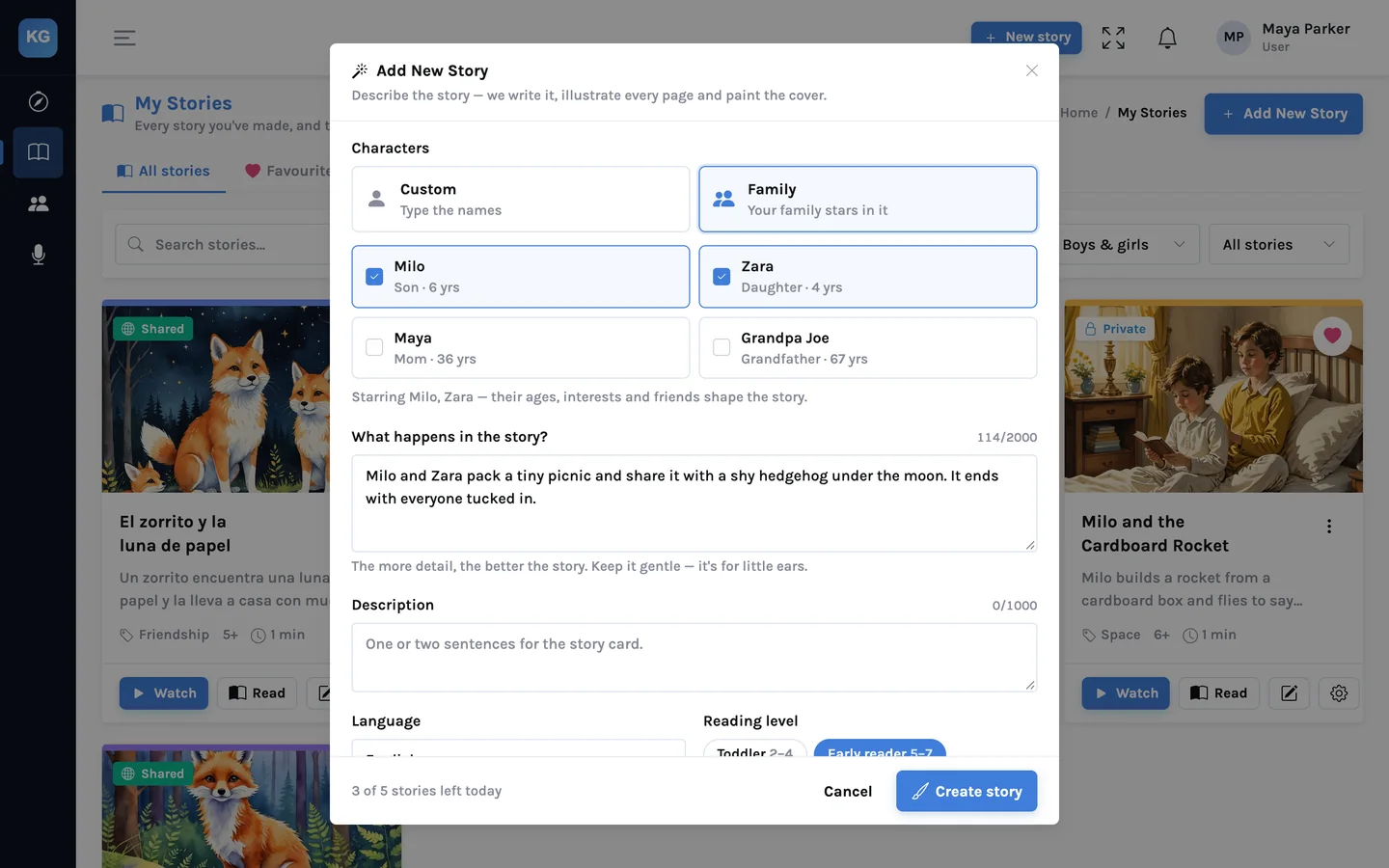
You bring the idea. KidsGotWings writes the story in sections and paints a picture for each one.
Prompt to picture book
Describe the story in a sentence or two and get it back written and illustrated, section by section.
Idea starters
Blank page? Tap a starter on the story form and change it to suit your child.
14 languages
English, Spanish, French, German, Italian, Portuguese, Hindi, Arabic, Chinese, Japanese, Korean, Dutch, Polish and Turkish, for the words and the narration.
A moral or lesson
Optionally name a value for the story to carry: sharing, courage, kindness, trying again.
Seven art styles
Watercolor, cartoon, storybook, 3D, paper cut-out, pencil sketch or anime.
Reading level by age
Ages 2–4, 5–7 or 8–10, so the sentences and vocabulary suit the listener.
Personalize
Your family as the characters
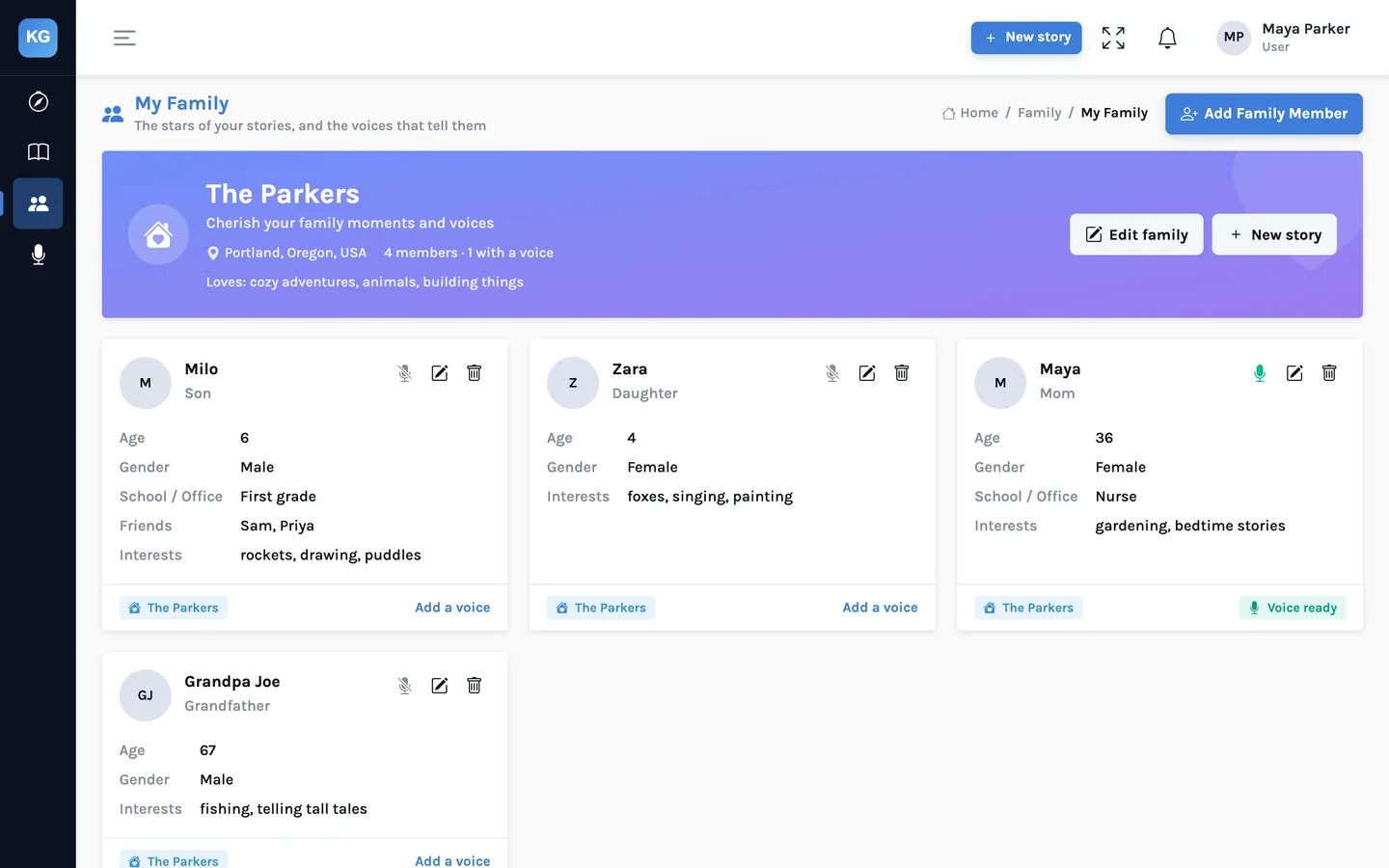
Add your family once. After that, any story can star them, with the details that make it unmistakably theirs.
My Family
Add each person’s name, age and relation, plus optional details: interests, school, friends, your city.
Pick the cast
Choose up to eight family members for a story (children, parents, grandparents) or type in made-up characters instead.
Edit any section
Change the words of any section yourself, or ask for that section to be rewritten with a short note.
Redraw any picture
If an illustration isn’t right, Regenerate Image redraws just that one, with a hint about what you’d like to see.
Narrate
A voice they know
Every story can be read aloud by a stock storyteller, or in a voice modeled on a parent’s or grandparent’s own.
Stock storytellers
A set of ready-made narrator voices. Preview each one and choose the voice your child likes.
Your own voice, with consent
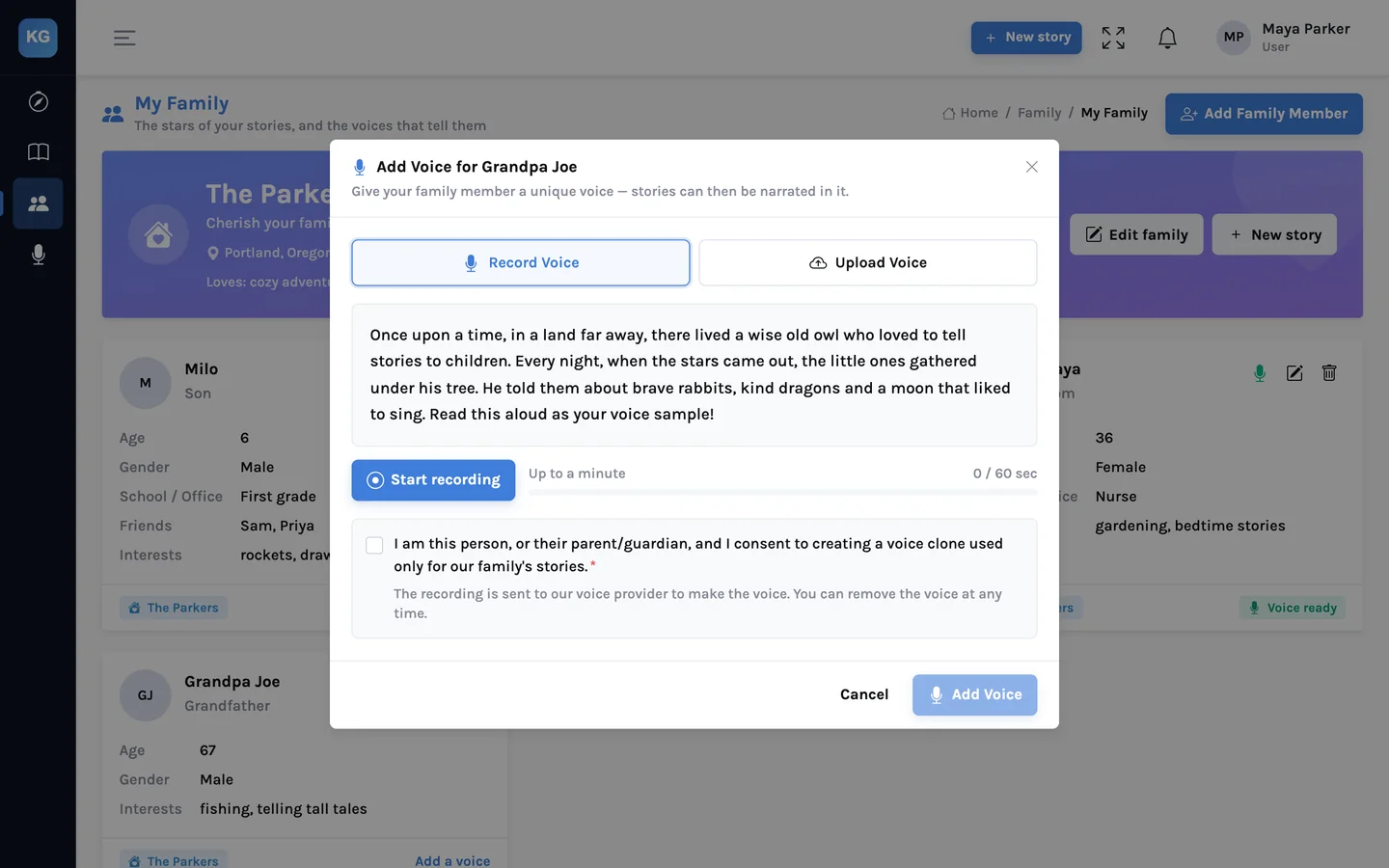
A grown-up reads a short passage (up to a minute) or uploads a recording. Voice cloning is opt-in and needs explicit consent before a voice is created.
Yours to remove
A family’s voices are only offered in that family’s account, and can be removed at any time.
Sound effects
Narration comes with sound effects, so a story has atmosphere as well as words.
Read, watch, keep
A reader made for bedtime
Read it like a book, watch it like a film, or put it on the shelf.
Read-along reader
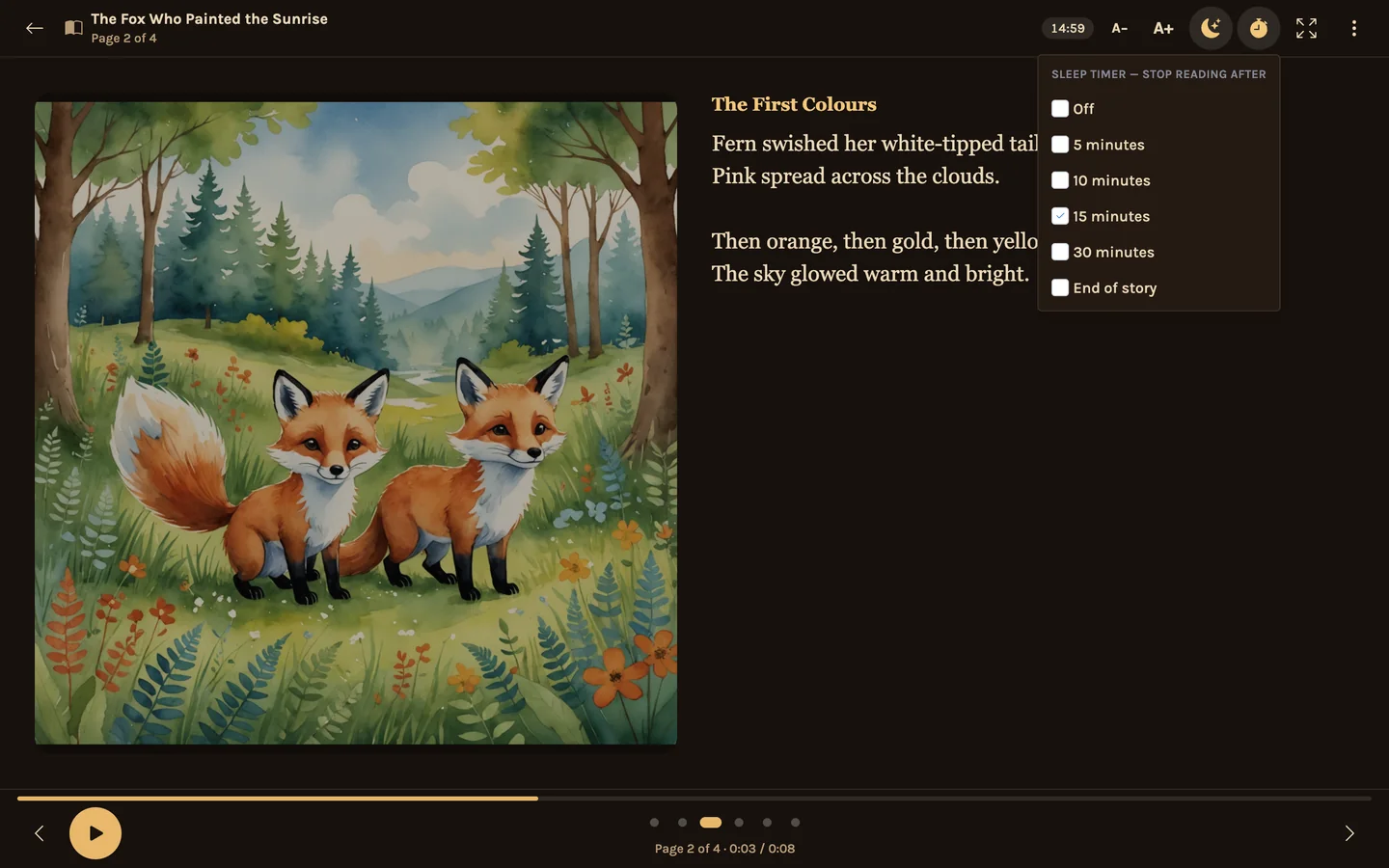
A page-turning storybook: one section per page, with its picture, its words and its narration.
Bedtime mode
A calmer screen for a dark room, for the last story of the night.
Sleep timer
Set how long the story should play, then put the device down.
Captioned film
Turn a narrated story into a film with captions, and download it to keep.
Print or save as PDF
Print any story as a picture book, or save it as a PDF from your browser.
Favorites
Mark the stories they ask for again so they’re one tap away.
Sequels
“What happened next?” Continue a story with the same characters and a new small adventure.
Share & discover
Private by default, shared by choice
Your stories are yours. Share one with the world, or just with Grandma, only when you want to.
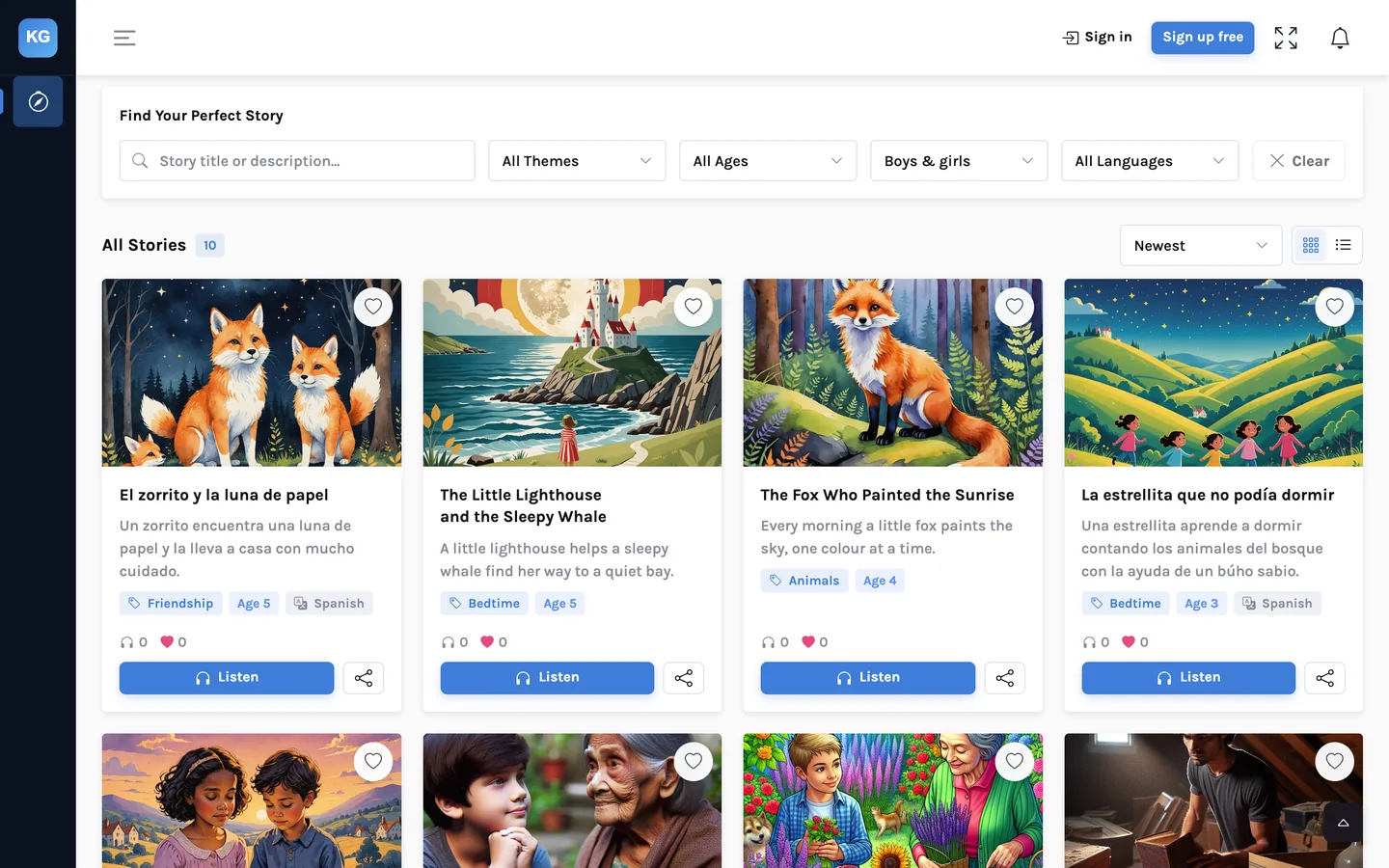
Private unless you share
A story is visible only to you until you switch on Share in Discover for it, and you can switch it off again.
The Discover library
A public library of stories that families chose to share. Anyone can browse it.
Search, filter and sort
Find stories by title, theme, age or language, sorted by newest, most played or most liked.
Share by link
Every shared story has its own page. Send the link; no account is needed to open it.
Report a story
Every shared story can be reported (as inappropriate, scary, a copyright concern or containing personal information) and moderators can remove it.
In your control
Your account, your data
Simple to get into, clear about what you’ve used, and easy to leave with everything, or nothing.
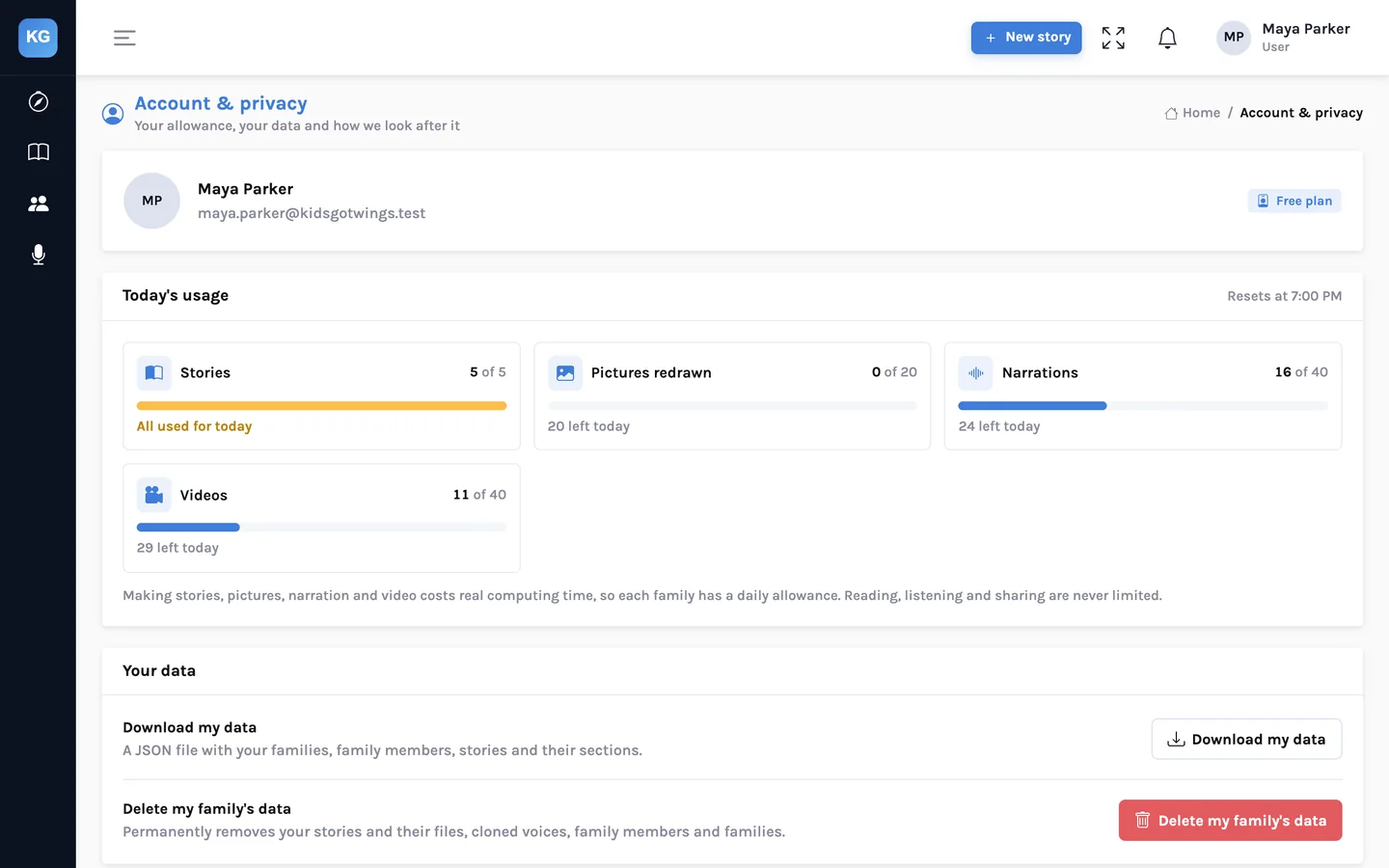
One sign-in
Sign in with an email and password, or with Google.
Free to start, with daily limits
Free accounts have daily limits on stories, pictures, narrations, films and voices. Your account page shows today’s usage and when it resets.
Download my data
Download your families, family members, stories and sections from your account page.
Delete my family’s data
Delete your stories and their files, cloned voices, family members and families, after a confirmation.
No ads
There is no advertising anywhere in KidsGotWings.
Checked for children
Story ideas are checked for suitability before a story is written.
At a glance
The story options
What you can choose each time you create a story.
14 languages
- English
- Spanish
- French
- German
- Italian
- Portuguese
- Hindi
- Arabic
- Chinese
- Japanese
- Korean
- Dutch
- Polish
- Turkish
7 art styles
- Watercolor
- Cartoon
- Storybook
- 3D
- Paper cut-out
- Pencil sketch
- Anime
3 reading levels
- Ages 2–4
- Ages 5–7
- Ages 8–10
Plus an optional moral or lesson, the story’s length, and who’s in it. Stories and pictures are generated by AI and can contain mistakes; every section can be edited and every picture redrawn.
Tonight’s story is one sentence away.
Describe it, or pick your family as the characters. It’s free to start, and private unless you choose to share.